
Lesson 1: The Onboarding Process
You’ve been hired—congratulations! Once you get your first live chat job, you are on your way to a new and better life. It’s an exciting time, but it can be a little nerve-wracking, too. What will happen on your first day? How will you learn everything you need to know? And when will you get that all-important first paycheck?

No need to worry, though...we’ll cover all those questions and more in this module. Of course, every job and every company is different, so your experience may vary. But here, we’ll give you insights into what to expect in a typical live chat job environment.
Accepting the Offer
Usually, the first thing that happens is that the company sends you an offer letter, probably by email. This will come from the onboarding manager, who is the person responsible for helping you get started.
The letter will confirm the essential details of the job offer, including:
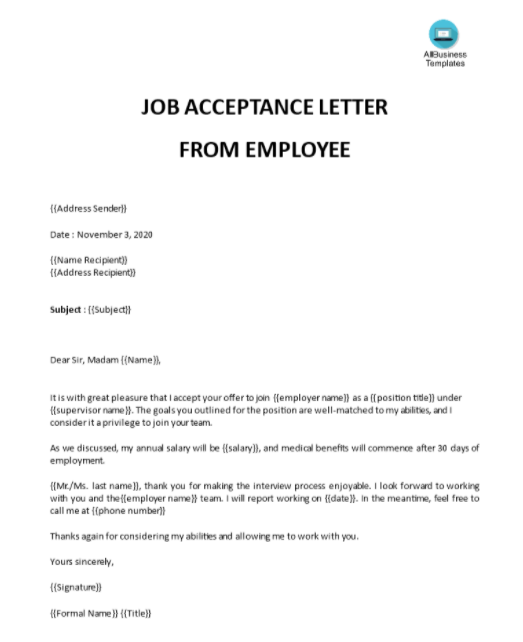
Check the details carefully and query and discrepancies with the onboarding manager. If everything is in order, it’s a good idea to reply with an acceptance letter to confirm that you are taking the job. You can find many free templates for job acceptance letters online.
You may then be required to sign a contract or agreement. This may be done using an online signature service such as DocuSign. This is a quick and easy way to confirm the contract without the need for an old-fashioned ink signature.
Setting Up Your Equipment
The next stage of onboarding involves getting your equipment ready. In most cases, you will be using your existing equipment:
You will do most of your work on your laptop computer, but you may need to use your phone to receive messages from your manager or to confirm your identity when logging in. The onboarding manager will check with you to ensure that your equipment meets the required specifications.
It’s a good idea to ensure that the software on your computer is up to date and that you have good virus protection installed. Security is always important, so this is an opportunity to review your arrangements and make any upgrades as required.
The company may ask you to install their live chat software on your computer or give you a login to their cloud-based system. Either way, check that everything is working correctly, and note any usernames and passwords for future reference.
You may also get a company email address to use for work correspondence. If you need help getting this setup, don’t be afraid to ask. The company will probably have a technical support team to talk you through the process.
Some companies will use other communication tools such as Slack or Zoom to collaborate and stay in touch. Once again, the tech support team will be there to help you get up to speed.
When the hardware and software setup is complete, you will be ready to go. This is where the real fun begins!
Copyright © SocialSaleRep. All Rights Reserved.